
Posts by jjadmin
Figma-to-Beaver Builder Design Guardrails
🖨️ Open & Print Document
Read MoreCreate + Install Google Tools(GA4 + GTM + Search Console)
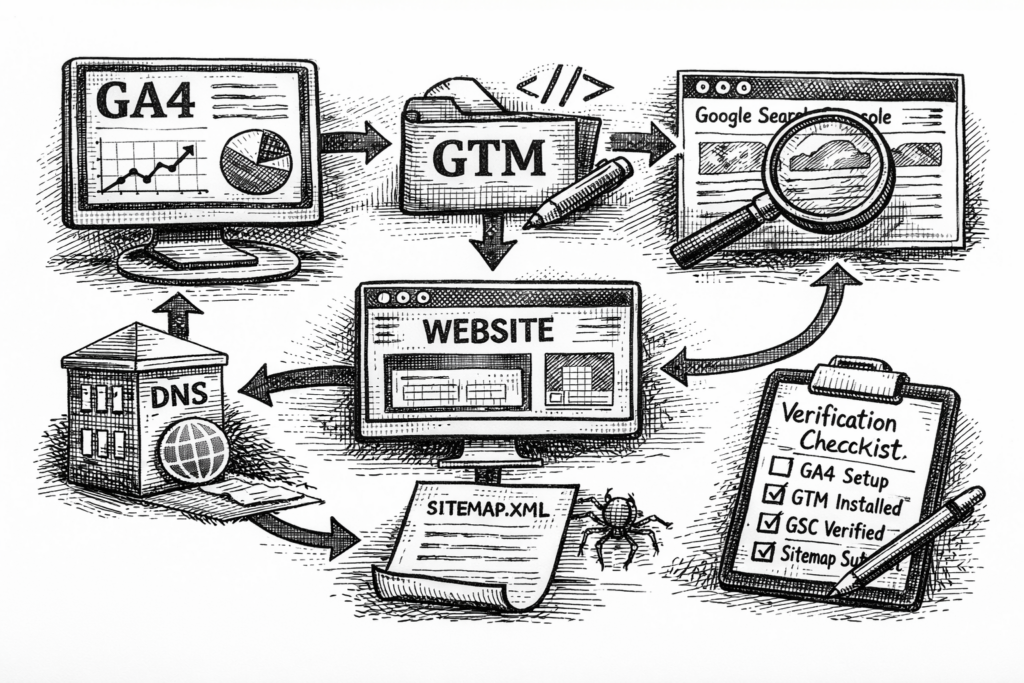
Purpose: Set up the core Google tools so we can measure website performance and conversions reliably across any website platform. Step 1 — Confirm the Canonical Website URL Why this matters: If Google tools are set up on the wrong version of the site (like http instead of https, or www vs non-www), the data…
Read MoreHows and Whys of JJ Newsletter Strategy

JamboJon is elbowing its way through the gnarled world of digital communication with a proven newsletter strategy that not only connects with our audience, but also shares unique insights and inspires action. Why a Newsletter? Newsletters act as a powerful conduit, enabling us to bridge the gap between our company and our clients. In it,…
Read MoreSetting Up Taxes for WooCommerce
Step 1: Enable Taxes in WooCommerce Step 2: Configure Tax Settings Step 3: Add Tax Rates Step 4: Automate Tax Calculations (Optional but Recommended) To simplify tax management and ensure accuracy, consider using a tax automation plugin: Step 5: Test the Tax Setup
Read MoreSetting Up Shipping for WooCommere

Getting real-time shipping rates up and running in WooCommerce involves setting up plugins, configuring your shipping zones, and ensuring proper integration with shipping carriers. Here’s a step-by-step guide: Step 1: Basic WooCommerce Setup Step 2: Choose a Real-Time Shipping Plugin You’ll need a plugin that provides real-time shipping rate calculation. Popular choices include: Install and…
Read MoreSetup A Rapid Development Site

Livebuilder.net is JamboJon’s “live” development server. Client websites that are in the development process and before they are handed over to the client can be viewed here. Another purpose for livebuilder.net is that it is the location for JamboJon’s Rapid Development website demo sites. These demo sites each have their own subdomain and are part…
Read MoreHow to Make a JambJon University SOP

Login to the University First, it’s important to contact JamboJon management if you have not yet received your university login credentials or if you need post-creation privileges. This will ensure that you have the necessary access to complete the task. Navigate to the JamboJon University Go to https://university.jambojon.com/login URL with your web browser and enter…
Read More