Posts by sjohnson
Using Terminal to View a Dev Site

Below is an email to copy and paste to send to a client. Be sure to update the URL and DNS record number before it is sent. Hi [INSERT CLIENT NAME], We’re ready for you to preview your website before the domain is officially pointed live. To do this, you’ll need to temporarily update your…
Read MoreConnect SMTP to your WordPress Website
How to get the Google client ID and client secret: Log in to your Google account and open your Google Cloud Console. Note: Before continuing, be sure to sign out of all other Google accounts besides the account you’ll be using for the SMTP setup. Also, if you’re using Google Workspace, make sure that the Google account…
Read MoreSEO Keyword Research

Configure SMTP Settings for WordPress Email Delivery

SOP: WP Mail SMTP Setup (Google Workspace/Gmail + Microsoft 365) Purpose Ensure WordPress site emails deliver reliably by sending through an authenticated provider using WP Mail SMTP. Scope Use this SOP for password resets, form notifications, WooCommerce emails, and any site-generated email. Before You Start Requirement: Choose the right WP Mail SMTP version You will…
Read MoreLink Cloudflare With WP Rocket API Key

1 Click WP Rocket “Settings” 2 Click “Add Ons” 3 Toggle Add-on Status to On 4 Click “Modify options” 5 Switch to tab Cloudflare Dashboard | Manage Your Account” 6 Click “Profile” 7 Click “Profile” 8 Click “API Tokens” 9 Click “View” 10 Click “View” 11 Click “Click to copy” 12 Switch to tab WP…
Read MoreEnable HSTS for Your Cloudflare Domain

1 2 Click “SSL/TLS” 3 Click “Edge Certificates” 4 Scroll down to HTTP Strict Transport Security and Click “Enable HSTS” 5 Click the “I understand” checkbox. 6 Click “Next” 7 Click Enable HSTS toggle. 8 Click Preload toggle. 9 Click No-Sniff Header toggle. 10 Click “Save”
Read MoreHow to Program the JJ Newsletter & Add It Online

The JamboJon newsletter has become a staple! It’s a branded landing page, a community connection tool, and a consistent reflection of our company as a go-to expert in website development and marketing. This article outlines the steps to take once the newsletter has been written, edited, and approved. Step 1: Start With WordPress Step 2:…
Read MoreHow to add a new user to FB and instagram

Go to Meta Business Suite on a computerhttps://business.facebook.com/ At the bottom left click on Settings A side menu will come up on the left side at the top it says “Users”choose “People”On the right side there is a blue button that says “+ Invite People” You must have the user’s email address that their social…
Read MoreHow to create an AutomateWoo Subscription Workflow
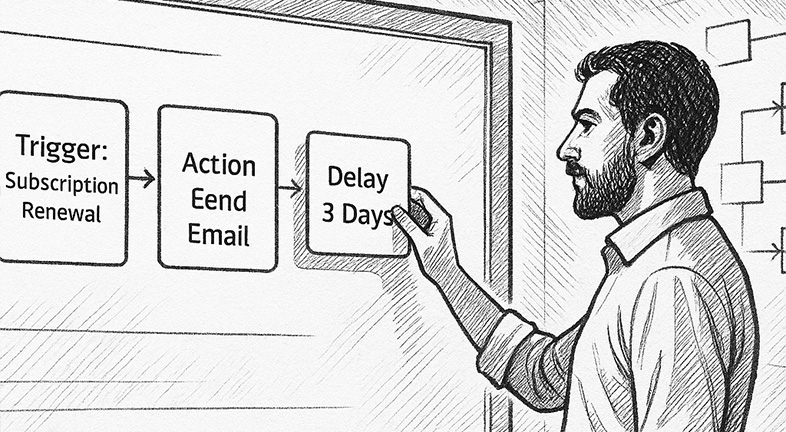
How to create an AutomateWoo Subscription Workflow
Read More