Uncategorized
Setting Up a Dev Site

Step 1 – Login to Livebuilder’s CPanel Step 2 – Create a New Subdomain Step 3 – Upload WordPress Step 4 – Create New Database Step 5 – Add User to Database Step 6 – Add Plugins and Themes Step 7 – Website Setup Step 8 – Backend Setup
Read MoreHow to Write Content using a Site Recipe/Skeleton

The backbone of good website content is the keywords found using the keyword research. To begin, make sure your keyword research is complete and you have chosen the most logical, relevant keywords for your site. NOTE: I leave all instructions/informational text in BLACK. Any content I write, I put in RED. At the top of…
Read MoreHow to Choose Stock Images that Fit Your Brand, Story, and Product

How to Choose Stock Images that Fit Your Brand, Story, and Product ᴭ The Big Truth “Stock images aren’t decorations — they are promises.” Every image you choose silently tells customers what to expect.Choose carefully! ✰ Quick Checklist for Choosing the Right Image 🏫 Brand Archetype Quick Guide Archetype Image Style Hero Bold, powerful, action-focused…
Read MoreAdding Theme and Tagline excerpt to Compass Newsletter page

Start at a Newsletter page, or create a new one Scroll down to Custom Fields. Select the “excerpt” option.Click the “Value” field.Type “<strong></strong><br/>”Switch to tab Taglines and Teasers – Google Docs”Copy the ThemeSwitch to tab Edit Page “October 2024” ‹ JamboJon — WordPress”Click the “Value” field. Paste the Theme in the center of the <strong></strong>…
Read MoreStorytelling Introduction

Storytelling Formulas – An Introduction The Power of Storytelling Formulas to Strengthen Your Brand Stories have captivated audiences for centuries. Whether told around a fire, printed in books, or woven into a blockbuster film, certain storytelling structures remain timeless. Why? Because they resonate deeply with human nature. These structures, known as narrative archetypes, or storytelling…
Read MoreSSH connection via Visual Studio Code (VSC)

Connecting to your server via SSH in Visual Studio Code allows you to manage files and code just like you would locally—without having to bounce between a terminal and a file manager. Install and configure the Remote – SSH extension in Visual Studio Code Before you start, make sure you have: First Time SSH Connection…
Read MoreLink Cloudflare with WP Rocket API Key
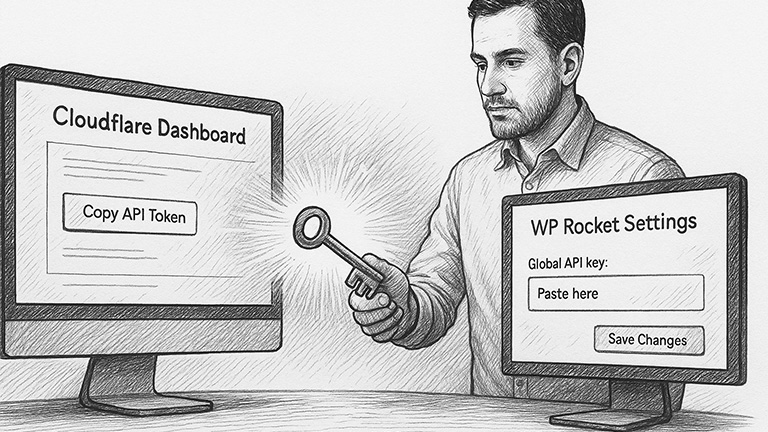
Start at WordPress Dashboard In WordPress Dashboard, hover over WP Rocket and click “Settings”Click “Add Ons”Toggle Add-on Status to OnClick “Modify options”Switch to tab Cloudflare Dashboard | Manage Your Account”Click “Profile” x 2Click “API Tokens”Click “View” x 2Click “Click to copy”Switch to tab WP Rocket ‹ WordPressClick the “Global API key:” field and paste the…
Read MoreEnable HSTS for Your Cloudflare Domain

Start at Dashboard Click “SSL/TLS” tab on left hand menuClick “Edge Certificates”Scroll down to HTTP Strict Transport Security and Click “Enable HSTS”Click the “I understand” checkbox.Click “Next”Click Enable HSTS toggle.Click Preload toggle.Click No-Sniff Header toggle.Click “Save” Slideshow of steps:
Read MoreHow to Set Up Cloudflare for a Domain
Log in to or Create a Cloudflare account for the client On the Account Home tab, Click “Add a domain”Chose “Quick scan for DNS records. Click “Continue”Type the domain in the “Enter an existing domain” field.Click “Continue”Select a PlanClick the checkbox to select all scanned DNS records.Click “Continue to activation” Log in to your Domain…
Read More